
If you are not satisfied with just a Vista theme, installing a transformation pack will completely transform the computer. Your startup will look like vista, logon will look like vista and all the icons will be transformed into vista too.
Of course you will want the Vista theme as well, because the transformation pack doesn't change the theme.
A free Vista transformation pack for Windows XP
The original article covering themes and icon sets
More Cool Windows XP tips & tricks HERE
Alt+Tab - Switching between open windows.
Hold down Alt and press tab repeatedly to select any open window.
More Cool Windows XP tips & tricks HERE
If you want a totally customized Windows XP, then renaming the Recycle Bin can be quite useful. You could rename it to trash, garbage [or pretty much anything you can imagine ;) ].
Follow these steps to rename the Recycle Bin:
1. Open up the Registry editor by typing regedit into the run box from the Start Menu.
2. Locate HKEY_CLASSES_ROOT/CLSID/{645FF040-5081-101B-9F08-00AA002F954E}
3. Change the registry value "Recycle Bin" To anything. (Remember to exclude the quotes!)
And you're done!
You may have to restart your pc to see the changes...
And you're done!
You may have to restart your pc to see the changes...
More Cool Windows XP tips & tricks HERE

User switching is the fastest way to switch to a different user account.
This lets you have several accounts logged in at the same time, but only one of them interacts with the keyboard, mouse, etc. and is open, while the rest continue to run open programs.
To enable fast user switching:
1. Go to Control Panel and click on user accounts.
2. Click the User accounts icon in the Control Panel icons section to open the User accounts window.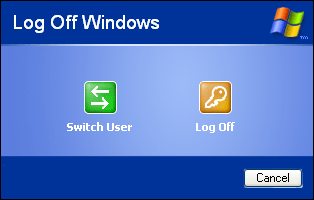
3. Click "change the way users log on and off"
4. Check the box "Use Fast User Switching"
And you're done! To Switch users, open log off from the start menu and click "switch user" or just press Windows Key + L.
More Cool Windows XP tips & tricks HERE

This feature is very useful if you have only one user account on your computer. The bad thing is that you can't have it ask for a password.
To disable the welcome screen:
Open the Start Menu and select run. Type "control userpasswords2" into the box.
In the user accounts window choose the users tab and clear the box "Users must enter a name and password to use this computer".
Click OK and type your user name and password in the dialog box.
More Cool Windows XP tips & tricks HERE
Subscribe to:
Posts (Atom)


